













































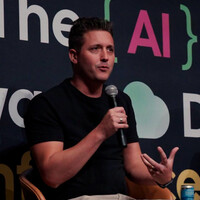






AI has made it dramatically easier to generate software. But as the cost of producing code falls, the value of understanding, judgment, and ownership is rising.
In this keynote, Craig Shyjak explores what happens when AI can write the code, review the pull request, and increasingly help diagnose the production failure. Through real-world research, industry examples, and more than twenty years of experience building software systems, he looks at how this shift is changing the way we build, break, defend, and grow software teams.
The challenge ahead isn't simply learning how to use AI more effectively. It's deciding where human judgment still matters, how we preserve the skills needed to understand the systems we're creating, and who ultimately owns the risk when the AI gets it wrong.
This isn't an anti-AI talk, and it isn't an AI hype talk. It's a conversation about using these tools intentionally, and about what becomes valuable when generation is no longer the hard part.
This is not another Copilot demo. These are real world examples of how software engineers at Microsoft are using AI to build products and solve our most difficult problems. How do we keep up in this rapidly evolving space and is AI actually useful at scale?
We'll chat about what works and what doesn’t? Learn how to evolve and thrive as an engineer in the era of AI.
AI coding assistants are powerful out of the box, but every team has unique workflows. This talk explores
the new extensibility model for GitHub Copilot: agent skills for teaching Copilot specialized tasks via SKILL.md
files, plugins for packaging and distributing those capabilities, and marketplaces for discovering and sharing them
across teams.
Key topics include:
- Agent Skills — the folder-based, demand-loaded format that works across Copilot CLI, VS Code, Claude Code, Codex
CLI, and Gemini CLI
- Plugins — bundling skills, agents, hooks, and manifests into installable packages
- Marketplaces — creating and publishing registries for plugin distribution and versioning
- Cross-tool compatibility — the open Agent Skills standard: write once, discovered everywhere
- Live demo — building a plugin from scratch and publishing it
- Security & best practices — the plugin permission model and tips for teams
Attendees will leave understanding how to extend their AI assistants with custom, reusable capabilities and share
them across their organization.
As AI agents become a first-class part of software systems, learning to build MCP servers is becoming as fundamental as learning to build RESTful APIs. Many engineers already interact with MCP through IDEs and agent tooling, and building these servers introduces a new set of design considerations beyond traditional request/response APIs. While MCP servers share familiar API concepts, the move to agent-driven, probabilistic clients changes how engineers think about contracts, tool design, output shaping, state management, error handling, and spec adoption. Building MCP servers is emerging as an important capability for all developers and teams.
In this session, we’ll start with what MCP is and how the protocol defines resources, tools, prompts, and elicitations. We’ll walk through the practical decisions involved in building your first MCP server, including transport choices, authentication, tool and resource granularity, server instructions, and context engineering. You’ll see how MCP aligns with and diverges from traditional API design, explore framework options, preview generated MCP servers, and learn how to design for scaling, versioning, gateways, and deterministic error handling in real-world systems.
In this 60-minute session, tackle one of the biggest challenges in modern data organizations: making corporate data truly accessible without compromising governance. Discover how Amazon Quick creates an intelligent layer over your Redshift data warehouse, enabling teams across your organization to ask questions in natural language and get instant answers—all while your data remains securely centralized under a unified governance umbrella.
We'll demonstrate how to break down data silos by connecting Quick to Redshift, building AI agents that understand your business context, and creating shared spaces where teams collaborate on insights without duplicating data or losing control. You'll see practical examples of how marketing, finance, and operations teams can access the same corporate data through their own lens, with Quick's agentic AI translating complex queries into visualizations and automated workflows. Whether you're struggling with data democratization, drowning in ad-hoc reporting requests, or trying to maintain governance at scale, this session will show you how to solve these challenges. Basic familiarity with AWS services and data warehousing concepts is recommended.
Software teams rarely fail because of lack of effort, they fail because of constant thrash, hidden work, and fragmented priorities. In this session, we’ll explore where invisible work comes from, how it quietly erodes delivery capacity, and practical strategies teams can use to protect focus without slowing the business down.
What happens when a lifelong C# developer falls down the Rust rabbit hole? In this honest and practical session, we’ll explore the journey from managed memory and runtime comforts to the fiercely safe and incredibly fast world of Rust. You’ll get a firsthand look at how Rust challenges the habits of a .NET developer and improves your skills in the process. From ownership and borrowing to traits and lifetimes, we’ll demystify what makes Rust unique and why it's worth learning, even if you love C#.
Through real-world comparisons and live code demonstrations, you’ll discover how Rust’s focus on memory safety, concurrency, and performance provides new advantages for tackling problems that managed runtimes sometimes struggle with. Whether you're curious about Rust, focused on performance, or just want to explore what’s possible beyond the CLR, this talk will provide you with a fresh perspective, valuable insights, and a roadmap for incorporating Rust into your development toolkit.
Are your automation practices accounting for the database? How do you verify database software quality? Most importantly, how do you care for customer data as the schema evolves? Let's dig into building a CI/CD pipeline for databases. We'll leverage Red Gate tools and containers for automation, testing, and push-button deployment. You can bring DevOps to the database.
Deep down, we all know the future is unpredictable. And yet, we try to manage our projects and work as though we can anticipate the result of our work. What if we took another approach to work? What if we embraced the uncertainty and started to frame our work as a bet, and considered all (or more) of the possible outcomes? How might that change our thinking, and our approach to delivery?
In this workshop, we'll use dice (or cards) to simulate the randomness of what can, and can't, be controlled. We'll explore how we can change the conditions to give us a better chance of arriving at our target outcome.
Learn why API protection and security must evolve in the age of AI, and how it's past time to elevate API security beyond just relying on individual development teams in the enterprise. Companies that take API management, governance, and security seriously will be positioned to benefit in a time when Agentic AI offers so much promise but also poses significant cybersecurity risks.
We didn’t miss the AI revolution because the models were too small or the prompts were wrong. We missed it because our most important systems can’t talk to AI at all.
While AI agents can research, reason, and automate at unprecedented speed, the data and logic that actually run most organisations are still trapped inside ageing, proprietary systems, often decades old and never designed to be opened up. Rewriting them isn’t realistic, but ignoring them means AI never reaches where the real value lives.
Model Context Protocol (MCP) offers a way out of this stalemate. It provides a controlled bridge between modern AI agents and legacy applications, allowing us to expose data and behaviour safely, incrementally, and without ripping out critical systems.
In this talk, we’ll explore how to use MCP to make legacy software AI-accessible: patterns for wrapping old systems, enabling meaningful agent interactions, and avoiding the trap of “AI demos” that can’t survive production. We’ll also dig into the hard part—security—covering permissions, trust boundaries, and how to keep AI powerful without letting it become dangerous.
This is a talk about bringing AI to where the business actually runs, not where we wish it did.
Once upon a time, we built websites with just HTML, CSS, and a sprinkle of JavaScript. Then came the frameworks, the bundlers, the transpilers, and the Great NPM Dependency Flood of ’15. Suddenly, shipping a “Hello World” meant downloading half the internet.
But what if you don’t actually need all that baggage? In this talk, we’ll dust off the basics and see how modern browsers let you build rich, interactive web apps. No frameworks required!
Tech is cyclical with ever evolving skills and needs, this makes plotting a career a challenge - How might you break in, grow, and leverage your unique skills to build the career you desire? This talk will focus on building a strategy for growth inside or outside of your organization.
How much time are you spending to build notebooks and pipelines for Silver/Gold layers? Materialized Lakehouse Views in Microsoft Fabric can shift medallion transformations to a fast, declarative model. This session shows where they fit best, practical patterns for Silver and Gold, and what they change for performance, governance, and cost—so you can ship curated layers sooner.
The most valuable person in a modern tech organization isn't the best engineer or the most process-savvy PM — it's the person who can translate between them.
This session introduces the Interpreter's Edge: a framework for building genuine cross-domain fluency without losing your technical credibility or your leadership identity. Drawing from nearly two decades of leading PMOs at the intersection of engineering and delivery strategy — across technology, manufacturing, retail, media, and telecom, in organizations from early-stage startups to global enterprises — this talk addresses the tensions that derail talented people at every level.
The promotion trap rewards engineers for technical excellence then penalizes them for lacking management skills. The credibility gap keeps PMs from earning trust with engineering teams. The false shared vocabulary makes "done," "priority," and "estimate" the most dangerous words in a sprint review. And the standard career ladder offers exactly one path forward for most technical professionals — a path that doesn't fit a surprising number of the people on it.
Attendees will leave with a concrete model — the Interpreter Framework — for developing hybrid skills deliberately, practical moves for reducing friction between engineering and PM teams, and a reframe of the non-traditional career path as a strategic advantage rather than something to explain away.
This is a talk for engineers who don't see themselves in the standard leadership narrative, for PMs who can't figure out why they keep losing credibility with technical teams, and for leaders who want to build organizations where the translation gap stops costing them sprints.
Multi-agent systems get expensive and chaotic when every agent receives the full conversation, full tool history, and full memory state. In this session, we’ll look at how to design leaner AI systems on Azure using Azure OpenAI with Microsoft Agent Framework or LangGraph, focusing on the architectural patterns that reduce context bloat without losing capability. We’ll cover scoped context, targeted handoffs, short-term versus long-term memory, planner and router patterns, and techniques for keeping each agent focused on only the information it actually needs. Attendees will leave with practical design patterns for building multi-agent systems that are faster, cheaper, easier to debug, and easier to scale.
This talk presents a deep technical exploration of implementing zero-trust security principles to enable secure agentic AI workflows across both internal systems and external enterprise tools. We'll examine the architectural patterns that allow granular access controls, unified authentication, and audit-ready visibility to work together, enabling productive AI automation while maintaining strict data sovereignty. Through real-world deployment examples, we'll demonstrate how these zero-trust foundations solve critical security challenges at the intersection of AI, cloud infrastructure, and regulatory compliance.
Every team maintaining a legacy system knows the fear: touch one thing, break three others. You want to modernize, but you cannot ship what you cannot test. And nobody wrote tests for code that was built 10 years ago.
So we tried something different. We built an AI agent pipeline that reads your codebase, maps every endpoint, traces the business logic, and generates end-to-end tests automatically. Then we pointed it at a real production fintech system: 12 microservices, 593 endpoints, and a mess of dependencies nobody fully understood anymore.
It generated 2,743 tests and hit 97.8% endpoint coverage. But the numbers are not the interesting part. The interesting part is what broke along the way. Where the AI hallucinated test scenarios that made no sense. Where it wrote better assertions than our senior developers would have. And how having thousands of auto-generated tests completely changed the way we thought about refactoring risk.
This is a talk about what actually happens when you let AI loose on a real codebase. You will see the pipeline in action, walk through real examples of generated tests (the good, the bad, and the bizarre), and get a practical framework for deciding whether this approach makes sense for your systems.
If you are working with legacy .NET or Java and you are tired of hearing "just rewrite it," this talk is for you.
Modern applications are increasingly powered by cloud native APIs that must handle massive scale, evolving security threats, and continuous delivery demands. As organizations transition from monolithic systems to distributed microservices architectures, the need for resilient, high performance API ecosystems has become critical for delivering seamless digital experiences.
This session explores practical strategies for designing and operating cloud native APIs that balance scalability, security, and developer productivity. Attendees will learn how microservices based architectures enable high throughput processing while maintaining low latency under fluctuating workloads. The discussion highlights real world architectural patterns for building APIs that can scale dynamically across cloud environments while maintaining consistent performance.
A strong emphasis is placed on security and reliability. The session covers modern approaches to API protection, including layered security models, token based authentication, encryption strategies, and proactive threat detection using intelligent monitoring systems. Participants will also gain insights into implementing resilience patterns such as circuit breakers, rate limiting, and fault isolation to prevent cascading failures in distributed systems.
In addition, the talk explores how automation and observability improve system reliability and reduce operational overhead. Techniques such as automated compliance validation, real time monitoring, and intelligent alerting enable teams to identify and resolve issues before they impact users.
Designed for developers and architects, this session delivers actionable guidance for building robust API ecosystems that support rapid innovation while maintaining high standards of security and performance. Attendees will leave with practical patterns and implementation strategies that can be immediately applied to modern cloud native applications.
Generative AI (GenAI) is rapidly entering professional and academic workflows, yet many organizations struggle to use it reliably, safely, and responsibly. This session focuses on practical AI: concrete ideas and techniques that professionals can immediately apply while remaining fully accountable for outcomes.
Rather than treating GenAI as a black box or a shortcut, the presentation builds a clear mental model of how GenAI systems behave, why hallucinations occur, and how vague context and open‑ended prompting increase risk. Attendees learn practical ways to supervise GenAI outputs instead of blindly trusting them.
Participants will leave with actionable ideas they can use right away: applying personas to stress‑test content for different stakeholders; using structured formatting and examples to reduce ambiguity; and leveraging reasoning frameworks such as Chain of Thought and Trees of Thought to explore options, surface assumptions, and converge on stronger decisions. Governance and safety concepts are translated into everyday practices, including data sensitivity awareness, cloud versus on‑prem tradeoffs, and the principle of “delegating effort, not accountability.”
Through real‑world scenarios - documentation, ticket creation, code review, and decision support - attendees gain reusable patterns, mental models, and habits they can integrate directly into their daily work with GenAI.
Metaphors and analogies aren't just the realm of authors and English majors writing flowery prose or evocative poetry, they are foundational to how we experience, understand, and communicate about the world around us. Where programming and software development have grown out of the logical and analytical traditions of philosophy, and engineering has a focus on the physics and mathematics which rigorously define the phenomena surrounding us, it is easy to dismiss these linguistic concerns as unimportant to our fields. However it is becoming increasingly evident that a pragmatic approach to understanding cognition is necessary for us to work effectively within the sociotechnical architectures which surround us. To that end it is well worth our time to learn a bit about analogical reasoning and the metaphors we code by - and maybe it can help us solve one of the two "hard problems" of computer science as well.
The tech world is practically vibrating with AI hype, promising to revolutionize how we build and ship software overnight. Yet, inside a 30,000-strong global community of Platform Engineers and Software Architects, the reaction is surprisingly muted. Instead of radical pivots or existential panic, AI is treated as just another casual topic on the Lean Coffee board. Why the massive disconnect?
This session pulls back the curtain on how top-tier architects actually view the AI revolution. Drawing on real discussions and insights from this massive community, I will explore why foundational engineering principles still reign supreme over shiny new tech. We will unpack the pragmatic reality of AI in platform engineering: it is undeniably important, but ultimately, it is nothing more than a tool.
Attendees will learn how to evaluate AI objectively, integrate it appropriately into their ecosystems, and avoid the trap of adopting tech just for the sake of it. Because as the old adage goes: "A fool with a tool is still a fool." Join this session to ensure you're using AI to enhance robust architecture, rather than letting it distract from it.
AI is everywhere—but its value depends on who you ask.
This fast-paced panel brings together three perspectives: a small business owner, a public sector CIO, and a startup investor. Each faces different incentives, constraints, and risks—and each sees AI very differently.
Through a structured “speed round” format, the discussion cuts past hype to explore:
Where AI is actually delivering value
- What it really costs—beyond the tools
- Where it’s not worth it (yet)
- And ultimately: who benefits, and who absorbs the downside
Expect sharp contrasts, not consensus. Attendees will leave with a clearer, more practical lens for evaluating AI in their own context.
Panel members will include:
- Marcus Wiens, Tiny Bison Ventures
- Terry Bunio, University of Manitoba
- James Chambers, Chez Angela
AI enablement isn’t buying Copilot and calling it done; it’s a system upgrade for the entire SDLC. Code completion helps, but the real bottlenecks live in reviews, testing, releases, documentation, governance, and knowledge flow. Achieving meaningful impact requires an operating model: guardrails, workflows, metrics, and change management; not a single tool. And because this space is evolving at a relentless pace, AI enablement has to be treated as a continuous evaluation process, not a one-time rollout.
This session shares field notes: stories, failures, and working theories from enabling AI across teams. You’ll get a sampler of adaptable patterns and anti-patterns spanning productivity, systems integration, guardrails, golden repositories, capturing tribal knowledge, API design, platform engineering, and internal developer portals. Come for practical patterns you can pilot next week, and stay to compare strategies with peers working through the same moving target.
The most expensive mistakes in software delivery don’t happen in the code — they happen before a single ticket is created. When work isn’t broken down logically, dependencies are invisible, and teams are managing tools instead of managing work, developers pay the price in chaos, rework, and missed deliveries.
This session cuts through the methodology noise to focus on the project management fundamentals that matter most to developers — the ones most PjMs have forgotten and most organizations stopped teaching. Using a real-world design system crisis as the lens, we’ll look at exactly what happens when work isn’t structured correctly and what it looks like when it is.
Software Delivery is full of illusions. In this session, we will look at 3 of them - Illusion of Progress, Illusion of Predictability, and Illusion of Control.
Want to understand why all of those meetings aren't helping? What about all of that planning? How about why all that agile stuff we are doing (our own special way) just seems to make things slower?
We have you covered.
Enterprise architecture feels like a conceptual mountain of technology – which unfortunately is true. Organizations today are investing in endless platforms, software, and features, much of it is AI. Enterprise Architects is a role many leaders don’t know they need until it’s too late, resulting in continued silos and cumbersome processes that cost too much and don’t provide business value, but stick around because the c-suite committed to investing in it despite not understanding it.
Women represent less than a quarter of EAs, some reports even less than 15%. Over the course of my career, I have been tapped on the shoulder for roles and chased others. All roads have led me to Enterprise Architecture and I didn’t even know it. Women bring unique qualities to the table and if we have to bring our own chair, so be it!
In this session, I’ll share my journey and three lessons to articulate why women should consider EA as a role and what you can do to explore this job type. For hiring managers, I’ll highlight why hiring a woman and/or those with non-linear or IT backgrounds is a distinct advantage and how to support/retain a female EA.
Explore how you can use latest features of GitHub Copilot and Azure services to break traditional DevOps silos, enabling workflow delegation and systematic, cross-platform automation beyond ad-hoc AI assistants.
Dependency Injection looks simple: register services, request interfaces, move on. And then production happens
This talk is a tour of the sharp edges: lifetime mismatches, scope leaks, captive dependencies, accidental singletons, disposal surprises, and performance cliffs that only show up under load. More importantly, it’s about diagnosis. When “it works on my machine” is true and the object graph is huge, you need a way to prove what’s wrong.
You’ll leave with a practical checklist of failure patterns, guardrails that catch issues earlier, and a debugging playbook to pinpoint the registration or lifetime that made the graph go sideways, without the guessing and rewrites.
Token-metered AI is turning every developer workflow into a utility bill. At the same time, valuable data that an LLM could really help you with, like health records, finances, and other secrets, are exactly what you'd never paste into a cloud-hosted model. This talk is about the option nobody hands you a quickstart for: pulling inference inside your own walls, where the tokens are free (ish), the data stays home (private), and every hosting challenge teaches you how these systems really work.
This is a six-month field report, not a product pitch. Expect real hardware decisions, real failures, including a GPU death that homegrown telemetry predicted 23 hours in advance, and real surprises, like the 8-bit model that ran twice as fast as its 4-bit rival. You'll leave with an honest map of what self-hosting costs, what it delivers, and whether it can replace the cloud yet.
Modernizing legacy applications is one of the most expensive problems in software — and genuinely agentic tooling has changed the shape of it. Not autocomplete. Not chat. An agent that reads your codebase, proposes a plan, executes across dozens of files, runs the tests, and opens the PR.
We'll take one genuinely grim legacy application and modernize it live, start to finish — containerizing it, wiring CI/CD, re-platforming it — opening with a single file and closing with a migration running across forty at once, on stage, while we talk. Plus the honest parts: where the loop breaks, what it costs to keep on the rails, and the five failure patterns that burn the most time.
Agentic DevOps in practice isn't a chatbot bolted onto your pipeline — it's the delivery loop itself, with an agent inside it and a human on the boundary. The through-line is harness engineering: the guardrails, context files, hooks and permissions that separate an impressive demo from something you'd let near production. The ideas are tool-agnostic; the demos run in Claude Code, and the integrations on MCP, an open protocol you can implement yourself, audit, and check into source control.
Scaling complex solutions is a leadership and operating-model challenge—not a staffing one.
This session presents a case study in how a single accountable program owner, supported by subject-matter experts, governed and scaled a 100-person early-career cohort—primarily interns with little to no professional experience, ranging from high-school students to recent graduates—to deliver a real-world Agentic AI solution using NeuralSeek in six weeks.
Given the experience gap, success depended on intentional design rather than informal collaboration. The program was structured around a clearly defined end state, explicit expectations for participation, and disciplined discussion frameworks that kept work aligned to a shared goal while preventing common scaling failures such as dominance by louder voices, misinterpretation of objectives, and diffusion of accountability.
The session highlights how clear ownership, structured communication, and graduated recognition of effort—not just outcomes—enabled predictable execution and measurable results at scale without adding management layers or operational overhead.
CI/CD has mastered deterministic checks—linting, tests, SAST, schema validation—but modern engineering risks increasingly live in the nuanced, contextual layer: “Does this change violate privacy expectations?”, “Did the UX drift from the spec?”, “Is this workflow introducing risky behavior?”
In this talk, we’ll explore non-deterministic CI gates: AI-assisted checks that evaluate context, intent, and policy, not just fixed rules. We’ll show how GitHub Agentic Workflows bring “Continuous AI” into your existing GitHub Actions pipelines by authoring automation in plain Markdown, executed by coding agents with security-first guardrails.
You’ll see practical SDLC examples—like policy/compliance analysis and UX alignment gates—where agents produce human-reviewable, structured findings and can safely trigger pre-approved operations via controlled outputs.
Walk away with a blueprint for augmenting deterministic CI/CD with agentic gates to drive faster delivery, reduced risk, improved developer experience, and smarter automation—without sacrificing governance.
We've all heard it: "there are no stupid questions." Encouraging? Sure. True? Absolutely not. There are plenty of stupid questions — and even more dangerous are the bad ones: questions that somehow leave everyone more confused than before you asked.
So let's ask a better one. How do you get the information you actually need, faster, with less back-and-forth and fewer follow-ups? What makes a question work — and what makes it quietly sabotage the conversation you were trying to have?
This session breaks down the anatomy of a bad question, how to fix it, and why your phrasing needs to shift depending on who you're asking and how. The question you ask your boss in a hallway, the Slack message you fire off to a direct report, the prompt you send to a client — same goal, very different approach. We'll work through real examples, spot the patterns that trip most people up, and walk away with practical techniques you can use immediately.
And we'll close with the most underrated question skill of all: knowing when not to ask one.
Working with technology to keep data sovereignty (especially digital content) sovereign and controlled by the nation
Customers have been building integration workloads since the seventies. From File‑based, Point‑to‑Point, EAI, SOA, ESB, API to micro services, Event driven, IPaaS and AI augmented today. Finding ways to bring these legacy integration investments is a priority for the Azure Logic Apps team who is providing Agents to capture these integration workloads in a modern AI agentic integration platform.
AI agents are no longer experimental, they’re operational. From customer service to cybersecurity, organizations are embedding agentic AI into core business functions to drive autonomy, agility, and measurable impact. In this session, I will explore how Microsoft is embracing this agentic moment internally and with customers and what it means for the future of integration, automation, and enterprise transformation.
Are you the curious type? Do you sit down to tinker with LLMs and find yourself tumbling down a rabbit hole, determined to understand what's actually going on under the hood? This session is for you!
As Local AI tooling continues to evolve, increasing abstraction is making it easier than ever to get results, but harder to understand why certain approaches work. This session cuts through that fog with two concrete, hands-on concepts.
First, we'll explore Retrieval-Augmented Generation (RAG): a technique for coaxing a general-purpose LLM into drawing answers from a specific knowledge base. Want a model that focuses exclusively on the automotive industry without wandering into unrelated domains? We'll walk through how that works, including the role of embeddings and vector database searches in making it possible.
Then we'll turn to fine-tuning. Training a model from scratch can cost hundreds of millions of dollars, but what if you could adapt an existing model to answer questions more precisely about a specific topic, using just a few minutes or hours on a consumer GPU that you're normally playing Call of Duty on? That's the promise of Low-Rank Adaptation, or LoRA, and we'll dig into how it works and when to reach for it.
Walk away with a clearer mental model of both techniques, and a better sense of when and why to use each one.
Building an MCP server is actually pretty easy. There are SDKs for all your favorite programming languages and you can host the server almost anywhere.
Building a secure MCP server that's actually useful and is relied on by a large and diverse set of customers is a whole different story. In this session you'll get the behind-the-scenes details of what it took to build and ship the Azure DevOps Remote MCP server.
Here's something no one wants to admit: you're making assumptions constantly. About what your coworker meant in that email. About what the client actually wants. About whether everyone in the room is on the same page. Spoiler: they're not, and neither are you.
But assumptions aren't always bad! In fact, sometimes they're necessary — you can't stop and verify every piece of information in every conversation. But most of us are terrible at knowing when we're making them, which ones are safe to make, and which ones are quietly setting us up for expensive, embarrassing, or completely avoidable mistakes.
This session is about developing that instinct. We'll look at how to recognize the moments when you think you understand but probably don't, how to ask for clarification without looking incompetent or annoying, and how to tell the difference between an assumption that's reasonable and one that's a disaster waiting to happen.
The space between what was said and what was meant is where a lot of miscommunication lives, but the good news is, with the right questions (and the self-awareness to know when to ask them) that gap is a lot easier to close than you think.
AI is everywhere these days, and digital accessibility is no different. Except for how it is different. Accessibility is fundamentally about people and how they use websites and apps, and making things easier (or even possible) for those who can't do that in the "standard" way.
So where does this leave us with AI and accessibility? Well, it certainly can be a useful tool in some situations, but less so in others. In this session we'll dive into what makes digital accessibility such a unique use case for AI, when and how you should use it, and when you definitely shouldn't.
Cloud-agnosticism is often a “lowest common denominator” trap. I explore the “velocity tax” of multi-cloud vs. the power of functional partitioning. Stop building for hypothetical migrations and start leveraging specific cloud strengths to deliver.
Tags: Keynote, AI Trends, Vibe Coding, Agentic Engineering, Azure AI, Leadership, 2026 Strategy
Everyone in the room has heard "vibe coding." Some of you are doing it. Some of you are funding it. And most organizations are somewhere between excited and quietly terrified about what it actually means for how software gets built.
In this keynote, we'll use vibe coding as the entry point into a much bigger shift — the move from AI-assisted development to fully agentic engineering, where autonomous agents are becoming first-class members of your team.
This isn't a trends talk. It's a practical, CTO-level framework for what is actually changing in 2026, why it matters differently depending on where you sit, and where companies should be placing their bets right now on the Microsoft and Azure AI platform.
If you lead teams, you'll leave with a clear investment framework and the language to bring your organization along. If you build things, you'll leave knowing exactly which skills are becoming more valuable — and which assumptions about your workflow are already broken.
Backed by real demos, not slides.
Key Takeaways:
- Why vibe coding is the symptom and agentic engineering is the actual shift
- A plain-language framework for evaluating AI platform investments in 2026
- What leaders keep getting wrong about AI adoption — and how to course correct
- Which developer skills matter most in an agentic world and which are being automated
- A practical 90-day starting point your team can act on Monday morning
Outline:
Live Demos:
- Vibe coding a working app from a plain-English brief — and showing where it breaks
- Azure AI Foundry: building and deploying an AI agent live
Multi-agent workflow: planning, coding, and reviewing a feature autonomously
In this 60-minute session, discover why builders are choosing AWS Bedrock over other
platforms for creating production-grade multi-agent AI systems. At DoiT, we've delivered over 20 production solutions with an average 8-week turnaround—speed made possible by Bedrock's unique advantages that competing platforms simply don't offer: true flexibility to switch models without rewriting code, complete transparency into agent behavior for debugging and compliance, and fully managed infrastructure that eliminates operational overhead.
Learn how forward-thinking teams are moving beyond standalone agents to build collaborative AI systems that tackle challenges no single agent can solve alone. We'll share real-world stories from our production deployments: agents that research, analyze, and act together; systems that coordinate across departments; and workflows that adapt intelligently to changing business needs. You'll see why builders prefer Bedrock—faster iteration cycles, lower operational burden, and the freedom to evolve your solution as AI technology advances without vendor lock-in.
Whether you're evaluating platforms or looking to accelerate your current initiatives, this session will show you why Bedrock delivers the best builder experience and the fastest path from concept to production. By the end, you'll understand not just the technical patterns, but the tangible benefits that make Bedrock the smart choice for collaborative AI.
Most people might be familiar with the high-level ideas of an API Gateway, but what are these AI Gateway things, and how do the two differ? Learn about the important use cases that both technologies can deliver to corporations for better security and capabilities as we all embrace Agentic AI in our organizations.
Strategy requires choice. No choice? No strategy.
In this session we will explore how to find choices - in architecture, leadership, improvement initiatives, products, and more. Along the way, we will look at how context effects our potential choices and, occassionally, can make an outcome inevitable.
Leave this session understanding how to find more choices, leading you to better strategy.
Have you ever wondered what facilitating IT solutioning workshops and running a game of Dungeons & Dragons have in common? It turns out, a lot more than you'd think!
If you accept this quest, we'll explore how principles from role-playing games in a fantasy realm can enhance real-world working sessions - and vice versa. You'll learn practical strategies for engaging participants, guiding collaborative problem-solving, and managing unexpected twists - heroic and disastrous. Whether you're dealing with orcs, executives, or solution architects, you'll discover there are simple actions and bonus actions within your control that make for a much more effective session. By the end of this adventure you'll control the narrative and level up your facilitation skills - whether or not you've ever rolled a d20.
Everyone in tech is now living with AI whether they chose it or not. The pressure to use it comes from every level, the horror stories come from every direction, and the hardest questions come from your own family at dinner. Underneath all of it are two questions: How much of your own judgment and critical thinking are you handing over? And are you okay with that?
We're two brothers who use AI, in jobs that ask different things of us. Steve co-founded a company building AI applications and ships with these tools daily. Tim teaches math and runs a public course on living wisely with AI, and happens to be one of Steve's customers. Family gatherings get interesting.
This talk is about critical thinking and human judgment, run through three tests. First: why these systems feel intelligent, and where that feeling misleads us. Second: AI's environmental impact, something most of you already have an opinion on. Third: your own work, where the question isn't just whether the code is correct, but whether it's worth building, and what you lose when you stop understanding your own systems.
We're not here to tell you to use less AI. We use it constantly. We're here because judgment didn't disappear when the work changed. It moved, and this room has more say over where it lands than almost anyone.
In the rapidly evolving landscape of Artificial Intelligence, the ability to execute code securely in a performant way is paramount. This presentation introduces Azure Container Apps dynamic sessions as a robust solution for running code within an AI system. By leveraging isolated, sandboxed environments, the system can confidently execute potentially untrusted code, including user-provided scripts or code generated by Large Language Models (LLMs) while mitigating risks and ensuring the integrity of the system. This session will equip you with the knowledge to confidently integrate secure code execution into your AI solutions, minimizing vulnerabilities and maximizing trust.
AI is rapidly changing how developers write software. Tools like Claude and other AI coding assistants can now generate code, build applications, and even interact directly with data platforms. But turning these capabilities into reliable developer workflows requires the right architecture and tooling.
In this talk, we’ll explore how to build AI-powered developer workflows using the Databricks AI Dev Kit, Model Context Protocol (MCP) servers, and AI assistants like Claude.
We’ll walk through how these tools enable developers to connect AI assistants directly to real systems and data platforms, allowing them to:
- interact with Databricks programmatically through AI assistants
- generate and iterate on code using AI-assisted development workflows
- use MCP servers to expose tools, APIs, and data to AI agents
- accelerate application development with AI-driven tooling
- safely integrate AI assistants into real engineering workflows
Along the way we’ll discuss practical patterns for designing AI-enabled developer environments, lessons learned from real implementations, and how these emerging tools are changing the way developers build data and AI applications.
Attendees will leave with a clear understanding of how AI assistants, MCP, and modern developer tooling can be combined to dramatically accelerate development workflows while maintaining control over code, infrastructure, and data platforms.
We spent fifteen years convincing developers to own security. We embedded it in pipelines, trained security champions, wrote policies, and slowly — painfully — moved the needle on secure software culture. Then we handed every developer on the team an AI coding partner that produces confident, fluent, and occasionally deeply vulnerable code at a speed no human reviewer was designed to handle.
Shift Left isn't dead. But the model we built it on is.
We'll examine how hallucinated security patterns slip past both developers and static analysis tools, how reviewing AI-generated code is different than writing it, and why agentic coding systems represent a blast radius your current threat models weren't designed for. We'll also give AI its due — because augmented Static Testing (SAST), democratized security knowledge, and AI-assisted threat modeling drafts are real gains worth defending.
You'll leave with a practical updated playbook: how to treat AI-generated code like untrusted third-party input, how to instrument your pipeline rather than gate after it, and how to build the kind of security culture where AI makes your team faster and more secure — not just faster.
As organizations increasingly adopt multi cloud strategies, building resilient and portable application architectures has become a top priority for engineering teams. While multi cloud environments offer benefits such as reduced vendor dependency and improved fault tolerance, they also introduce complexity in traffic management, security, and system coordination.
This session provides a practical guide to designing and implementing resilient multi cloud architectures that ensure high availability and operational efficiency. Attendees will explore how cloud agnostic design principles and standardized interfaces simplify integration across diverse cloud platforms, enabling seamless workload portability and long term scalability.
The talk dives into real world patterns for global traffic management, demonstrating how intelligent routing and load balancing techniques distribute workloads efficiently across regions and providers. These approaches help maintain near continuous system availability even during infrastructure failures or traffic spikes.
Security and governance are addressed through unified strategies that span multiple environments. Participants will learn how to implement consistent identity and access management, zero trust principles, and secure communication between services operating across different cloud providers. The session also covers data synchronization challenges and best practices for maintaining data integrity in distributed systems.
Beyond architecture, the session highlights operational considerations such as automation, cost optimization, and monitoring. Attendees will gain insights into reducing configuration drift, improving deployment consistency, and leveraging observability tools to maintain system health.
This session is ideal for developers and architects seeking to build scalable, fault tolerant systems that thrive in complex cloud environments. By the end, participants will have a clear roadmap for transforming multi cloud complexity into a strategic advantage.
Are you looking to rapidly deploy your content? Are you looking to understand the full DevOps process? Come for this demo-only presentation where we start from scratch, template a React website and API with Aspire, live-code both Dockerfiles, live-code Kubernetes YAML resources, build up a DevOps pipeline in GitHub Actions, and deploy to Kubernetes. Then we commit, and watch the magic flow into place. You too can automate your full-stack deployments.
What started you on this Agile/Lean journey you're on? It might be a belief Agile will improve outcomes, people, quality and so much more. Then you start leading a transformation, and you run into a plethora of problems. For many well-intentioned leaders, I've seen them fall into the trap of taking action. It's what they know, and it's what many companies reward.
Are you tired of this rat race? I have one simple piece of advice for you: stop running with the rats! You're going to encounter problems, and there's going to be headaches. You may even feel like a failure at times. The truth is, your success or failure is not defined by what is happening in the system all around you.
In this workshop, you will start to learn how to create a leadership stance that can help you weather any storm you encounter in your Agile journey. It starts by writing your own story, making it so much easier to build strong relationships with teams and stakeholders. When you can lead with such clarity, you will be amazed at the impact you will start having.
We’ve all seen the flashy marketing promising that AI will magically run our projects. But for real-world project management, generic chatbots don't cut it.
This session strips away the hype, demonstrating how to move from conversational AI to Agentic AI—autonomous assistants that actively execute tasks across your digital ecosystem. Drawing from firsthand experience, I will share practical blueprints for deploying custom AI agents directly into the tools project leaders use every day: Microsoft Outlook, Teams, Telegram, and the Atlassian Stack.
Attendees will learn how to automate communication triage, supercharge Agile workflows, and reclaim hours of their week to focus on strategic, human-centric leadership instead of manual admin.
AI doesn’t fail because the technology isn’t ready—it fails because organizations make implementation far more complex than it needs to be.
In this session, we move past vendor demos and inflated promises to look at what actually determines whether AI delivers business value. Drawing on real-world implementation experience, this talk breaks down the few decisions that matter most—and the common traps that derail even well-funded initiatives.
Designed for leaders responsible for outcomes, not experiments, this session reframes AI implementation as an execution and change problem—not a technical one—and offers a practical way to move from ambition to impact without unnecessary complexity.
Hurry… The faster you complete work, the sooner you’ll get paid. But maybe it’s not about being faster. What impact does our org/team design & the processes have? What if we could find a way to improve our outcomes with some simple, but counterintuitive changes to how we work. Using Lego, we’ll see quantifiable impacts that you can consider to impact your team and organization's delivery of value.
While OWASP has become the gold standard for application security, the MITRE ATT&CK framework offers developers a powerful complementary perspective for building truly defensible applications. This session bridges the gap between threat intelligence and practical development, showing how to apply adversarial thinking to your code.
OWASP focuses on vulnerabilities, but MITRE ATT&CK focuses on adversary behavior. While OWASP tells you what can go wrong, ATT&CK tells you what attackers actually do. This combination creates more robust, defendable applications that can withstand sophisticated attacks.
We'll explore practical applications of ATT&CK techniques in development scenarios.
Perfect for developers who want to elevate their security mindset beyond traditional vulnerability scanning, security engineers working with development teams, and anyone building systems that need to withstand sophisticated, persistent attacks.
AI agents are evolving far beyond simple chatbots, and Microsoft Foundry Agent Service provides a unified platform for building them at scale. In this session, we’ll break down the three agent types supported by Foundry —Prompt Agents, Workflow Agents, and Hosted Agents—and explore how each one is designed for different levels of complexity, orchestration, and control.
You’ll learn how Prompt Agents enable rapid, no‑code prototyping; how Workflow Agents introduce declarative, multi‑step orchestration and agent‑to‑agent coordination; and how Hosted Agents give developers full control with custom code, frameworks, and containerized deployments. We’ll compare their strengths, limitations, and ideal use cases, and walk through real architectural patterns that show when to choose each type.
Most developers are using AI coding agents by now. Far fewer are getting real leverage out of them.
This session is about closing that gap. Drawing on a year of daily, hands-on use across real production codebases, I'll share the techniques that made the biggest difference in the quality and volume of work I can ship: engineering the context the agent sees, writing instruction files and reusable skills, planning with a strong model and executing with a cheaper one, running separate implementation and review agents, using sub-agents to tackle large changes, and working on several tasks in parallel.
We'll walk through real workflows, from diagnosing build failures and resolving merge conflicts to generating tests, reviewing pull requests, and finally knocking out the "someday" improvements that never used to get done. Along the way I'll show where agents shine, where they struggle, and the mistakes they make when left unsupervised, including the time one went hunting for my database credentials.
We'll also look at the bigger questions: why good tests and automated checks matter more than ever, how estimating and code review change, when vibe coding is appropriate, and what skills still matter for human engineers.
Whether you're a few weeks into using agents or already running them all day, you'll leave with concrete, tool-agnostic strategies to get dramatically more out of them while staying in control.
Artificial intelligence helps teams analyze, design, and build software more effectively. Its impact on Domain-Driven Design (DDD) goes beyond speeding up work: AI can uncover insights, clarify models, and make patterns easier to apply. But it also brings risks to DDD’s foundations. This talk will show how to use AI to enhance DDD—strategic and tactical—while avoiding pitfalls like fragile models, poor abstractions, or misplaced confidence.
We’ll start with how AI is changing domain analysis: helping teams discover potential ubiquitous language from documents and code, suggesting bounded contexts, and revealing hidden domain concepts in legacy systems. We'll discuss where AI truly supports shared understanding—and where overreliance creates artificial terms or imagined workflows that don’t match the real domain.
Next, we’ll move to design. Here, AI can assist with decisions around aggregate boundaries, domain events, invariants, and integration patterns. We'll talk about how to use AI to explore design options—without letting it dictate your architecture—and how to test its suggestions against real business rules and domain experts' insights.
Finally, we’ll look at implementation. AI excels at generating boilerplate code, tests, and scaffolding. We'll cover how AI can help enforce conventions, speed up tactical DDD, and support modernization—while warning against anemic models, misplaced logic, and code shaped by AI's assumptions rather than the real domain.
Throughout the session, you’ll get practical guidance on:
* When AI accelerates DDD, and when it distorts it
* How to integrate AI into modeling sessions, design reviews, and refactoring workflows
* How to validate AI‑generated artifacts to preserve domain integrity
* How to use AI to strengthen, not weaken, strategic design decisions
By the end of the session, you’ll know how to use AI effectively in DDD-focused teams to improve modeling sessions and design reviews. You’ll have practical tools to preserve domain integrity, guide and validate AI’s contributions, and support strategic decisions. The talk will leave you with techniques for leveraging human expertise, while keeping AI-related risks in check.
Walk away with a blueprint, best practices, and real-world insights to augment your apps and copilots with context and memories using CosmosDB as the underlaying store.
Eight hundred years ago, scholastic logicians developed a reasoning form so rigorous it could survive public challenge on any question. State the strongest objection first. Establish premises before conclusions. Calibrate certainty to the argument. Address every counter-argument by name. It turns out to be one of the most effective blueprints available for getting a modern AI to reason reliably through hard problems.
This session demonstrates a logic-trained AI agent built on exactly that tradition — a medieval reasoning architecture applied to a large language model, producing structurally superior responses on contested, multi-step questions. The comparison to standard AI output is immediate and visible.
The audience for this talk is anyone who suspects the skills that matter most in AI development aren't purely technical. AI builders looking for a new design lens, humanities graduates wondering where their training applies, and the AI-curious who want to understand what genuinely good reasoning in a model actually looks like — this session is for you.
Many applications were not designed for the cloud. They were not designed for the scale that cloud workloads encounter. And many of the developers and architects on our teams have no experience with cloud deployments or cloud-scale workloads.
In this talk, we’ll discuss why event-sourcing and CQRS are the patterns that you should add to your toolbox when building applications that need to be resilient, reliable, and performant. We’ll have a sample application demonstrating this in C#/.NET.
In this session, we will explore how organizations are moving beyond basic generative chat interfaces to build, deploy, and govern autonomous AI agents. We will cover how Google Gemini Enterprise App and the Agent Platform to enable enterprise-grade agentic workflows, multi-agent orchestration, secure data grounding across enterprise platforms.
Are you a Fabric developer and struggling with using good development practices in your projects? Implementing common practices such as source code control, branching strategies, code reviews (PRs), and automated deployments to independent environments (ie. workspaces) can transform how you work with Fabric. This session will demonstrate how you can take advantage of them today. It will also expose the gotchas that will bite you and show you how we have solved them in our Fabric projects.
Most agent frameworks hand you one execution model, and that holds up right until you have both kinds of work in the same system: quick tasks where the model should just go and get it done, and long multi-step ones where the order matters and a wrong turn costs something real. Build one model for both and you get an agent that is too slow for the easy work and too fragile for the hard work.
I'll walk through the three modes we run in production. Speed turns the model loose on a goal, accuracy breaks the goal into a
dependency-ordered plan before the first request goes out, and replay re-executes a validated run without calling the model at all. The thing that surprised me while building them is that they aren't really three architectures- they're one loop making different decisions about what goes into the context and when. Same page, same model, and roughly a 6x spread in what it costs.
That's harness engineering, and it's where the reliability actually
comes from. The model brings the intelligence. The guarantees comefrom ordinary code deciding when to call it again, what to show it, and whether to believe what comes back.
Most of this sesion happens inside the model's context, live, with a viewer that renders the exact request that went over the wire. We'll cover topics like where to put cache breakpoints, how to squeeze more out of your tools, and then use our newfound knowledge of context management to take one task from 97,000 tokens down to 10,000.
Every number comes out of a dddrecording in an open repo. You'll leave with a set of context rules that hold whatever you're building on, and a harness you're welcome to steal!
Serving more than 400 000 small to medium businesses, Gusto provides payroll, benefits, investment and retirement services to millions of people. But behind the scenes, we're going through a massive overhaul of how we create and manage software. We made the decision to be an AI-first company, which is driving everything from the code we write to how we create tickets and drive the direction of the product.
With more than 3000 employees, this transition has touched every corner of the business. In this talk, we'll discuss some of the things we've tried to become more efficient in a rapidly changing world.
People, process, and technology – it’s that simple. A structured, proactive approach to change management can make all the difference when it comes to enabling and empowering AI adoption, responding in times of crisis and navigating organizational and personal change.
In this session we’ll discuss, through real use cases, how the understanding and balance of people, process, and technology is what keeps us sane, makes high-performing teams tick, and organizations succeed.
When people discuss AI, they often revolve around deep learning and neural networks. However, not all challenges require a GPU and 50 GB of training data. Sometimes, nature already has the answer.
In this session, we will explore Genetic Algorithms (GAs), an evolutionary approach to solving optimization and search problems implemented entirely in C# and .NET. You will learn how these algorithms mimic natural selection to evolve increasingly effective solutions over time.
We will construct a GA engine from scratch, examine encoding problems such as the traveling salesman or scheduling, and demonstrate how mutation, crossover, and fitness functions operate in practice. Throughout the session, we will highlight when GAs are appropriate, how to optimize their performance, and where they can complement or outperform other AI approaches.
Whether you are an AI enthusiast, a .NET developer interested in evolutionary computing, or simply someone who enjoys solving puzzles with code, this talk will introduce you to a powerful yet underutilized technique.
Evaluating AI agents is essential if you want them to behave reliably in real applications. This talk shows how Microsoft Foundry streamlines that process with built‑in evaluators for quality, safety, and task performance. We’ll cover the pragmatics of agent evaluations, run automated evaluations, and use the results to compare agent versions and enforce quality gates. Attendees will leave with a practical, repeatable approach to ensuring agents stay accurate, safe, and production‑ready.
Enterprise knowledge doesn't live in data warehouses—it lives in PDFs, technical documentation, research papers, and policy documents scattered across file shares and content management systems. RAG promises to unlock that knowledge through natural language, but the magic depends entirely on the data pipeline underneath. Data engineers must build the ingestion, chunking, and embedding systems that make unstructured content AI-ready.
This session provides a practical blueprint for moving beyond proof-of-concept demos to production systems. We'll dive into chunking strategies that preserve document structure, metadata enrichment for filtered retrieval, and validation patterns for ensuring retrieval quality at scale.
Specifically, you will learn how to:
Extract & Clean: Handle complex layouts, tables, and multi-column formats that typically break LLM context.
Orchestrate at Scale: Automate the flow from messy file shares to production-ready vector indices using Azure's data platform.
Optimize for Accuracy: Design hybrid search strategies that combine vector similarity with metadata filtering for reliable retrieval.
Most organizations have accepted a quiet, expensive truth: that engineering, PM, and operations will never fully align — and that cross-functional dysfunction is just the cost of building complex software. This session challenges that assumption directly.
Drawing from nearly two decades of leading PMOs across technology, manufacturing, retail, media, and telecom — in organizations ranging from early-stage startups to global enterprises — this talk names the three failure patterns that show up in almost every delivery breakdown: the Handoff Cliff (engineering ships, PM celebrates, operations receives something they've never seen), the Requirements Fog (operations knows what's broken but can't articulate it in terms engineering can act on), and the Priority Collision (three unconnected queues that create a negotiation-under-pressure every time an incident hits).
At the center of all three patterns is an underexamined problem: operations is chronically the least-designed-for stakeholder in the delivery chain. Engineers and PMs have entire methodologies built around their collaboration. Operations has a ticketing system and a Slack channel. This session makes the case that treating operations as a downstream recipient of delivery — rather than a primary input to system design — is a product decision, and a bad one.
Attendees will leave with five concrete structural fixes — not "communicate better" platitudes, but specific changes to how teams plan, define done, surface priorities, handle incidents, and translate operational knowledge into engineering-ready requirements. These fixes don't require a new tool or a new methodology. They require a leader who decides this is a solvable problem.
This is a talk for organizations that are tired of blaming the people and ready to fix the structure.
In a field evolving so quickly, is any AI talk future-proof? This session explores how the dizzying pace of 2026’s AI breakthroughs makes today’s knowledge outdated by tomorrow. We’ll reflect on major shifts, and more importantly, you’ll leave with strategies to stay relevant—embracing curiosity, adaptability, and a playful mindset as AI speeds ahead.
Senior developers don’t struggle with learning. They struggle with the endless list of things they could learn, and the quiet feeling that they are always behind.
This session is a practical system for staying relevant on purpose: define what “relevant” means for your role, triage what to learn now vs. later vs. never, and run a weekly cadence that fits in 1–2 hours without leaking into nights and weekends. We’ll replace vanity metrics with a few signals that reflect real progress, and we’ll turn what you learn into skill you can use.
You’ll leave with a framework you can run for a month, a quarter, or a year without turning your spare time into homework.
Integration developers are entering a new era where AI doesn’t just autocomplete code; it collaborates, reasons, and orchestrates development workflows. This session dives deep into how GitHub Copilot empowers integration engineers to build cloud‑ready solutions with unprecedented speed and clarity.
We’ll explore Copilot inside VS Code and the GitHub coding agent, showing how each tool accelerates real‑world integration tasks. You’ll learn how to design effective Copilot agents, skills, prompts and instructions that guide the AI to produce consistent, high‑quality integration code. We’ll also look at how Copilot’s pull request reviewer can enforce patterns, spot issues, and help maintain architectural integrity across your integration repositories.
Whether you’re building Logic Apps, APIs, workflows, or event‑driven systems, this session gives you the practical techniques and patterns to make GitHub Copilot your most powerful integration development partner.
What does "user experience" mean in a world where most UI is converging into a chat-based interaction? What patterns are emerging on this blank slate, where conventional static UI is a thing of the past? How do we find our frontend footing in this new and ever-changing landscape?
These are the questions our SaaS design team was faced with for the past several years. And now, I think we have at least some answers to share. Learn about how we shifted into an AI-first workflow, what it means for us as designers, and how we see AI capabilities shaping the future of digital products.
Perfect for audiences with experience or interest in frontend development, UX/UI and product design, founders and entrepreneurs.








$775*


Below are answers to the most commonly asked questions about attending the conference. If you have a question not covered, please send us an email by clicking the "Email a Question" button below!
On both days of the conference breakfast and the registration table open at 8AM and conference sessions end at 4:30 PM.
Registration is outside the Ambassador ballroom on the main floor of CanadInns Polo Park.
No, just bring a valid form of ID and come to the registration table to get your nametag.
We take a "Vote with your feet" approach to the sessions. Attend whatever sessions you like, no pre-registration is required. Finding a session isn't what you thought it was? No problem, feel free to go to a different session!
Prairie Dev Con is meant to be a live, in person event. As such we don't record sessions for later viewing, but check with our speakers to see if their talks have been recorded elsewhere.
Yes! Both days will feature hot breakfast & lunch buffets and two coffee breaks.
CanadInns Polo Park has free parking on their lot.
There is no set dress code for the conference, wear what you're comfortable in keeping in mind our Code of Conduct.
All conference participants (attendees, speakers, sponsors and volunteers) at our conference are required to agree with the following code of conduct. Organizers will enforce this code throughout the event. We expect cooperation from all participants to help ensure a safe environment for everybody.
Prairie Dev Con is dedicated to providing a harassment-free conference experience for everyone, regardless of gender, gender identity and expression, age, sexual orientation, disability, physical appearance, body size, race, ethnicity, religion (or lack thereof), or technology choices. We do not tolerate harassment of conference participants in any form.
Additionally sexual language and imagery is not appropriate for any conference venue, including talks, workshops, vendor areas, social events, and social media/online ineractions.
Conference participants violating these rules may be sanctioned or expelled from the conference without a refund at the discretion of the conference organizers.